




Hardware and Networking Course in Goregaon with Guaranteed Placement

Hardware and Networking training gives students the practical IT foundation required for technical support, desktop support, network administration, cloud infrastructure, and cybersecurity job roles. At Awdiz, learners work on hardware labs, networking basics, troubleshooting practice, placement-focused mentoring, interview preparation, and job-ready training with career opportunities within 2 months.

Categories

Networking

Review

100% Job Guaranteed Hardware and Networking Course in Goregaon

Up to 3 LPA Guaranteed Salary for Freshers

Switch to IT Career Easily with Awdiz

Land Your First IT Job in just 2 Months

Learn from the best Hardware and Networking Training Institute in Goregaon

Any Graduate Any Year Passout can apply

Start the Course as low as 4000* ₹ per month

Hardware and Networking Course in Goregaon with Guaranteed Placement
Course Name Hardware and Networking Course in Goregaon
Course Type Job Guarantee Program
Duration Hardware and Networking Course Duration is 2 months
Qualification Any Graduate
Fees Hardware and Networking Course fees in Goregaon is between INR 59,000 to INR 79,000

Hardware and Networking Course in Goregaon Schedule

Start date Course Name Duration
M
D
Y
Hardware and Networking 2 months Weekdays
M
D
Y
Hardware and Networking 3 months Weekends
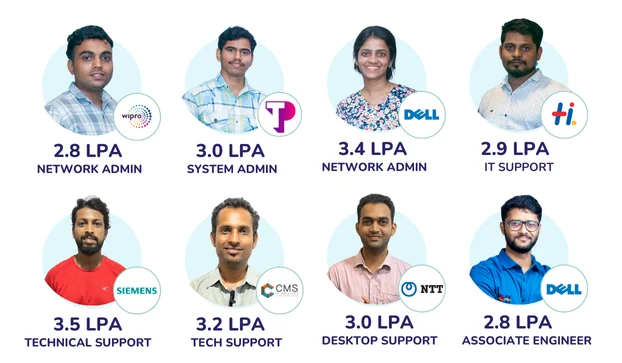
hardware networking course in goregaon student placement 4 lpa awdiz
hardware networking course in goregaon it support placement 3 lpa awdiz
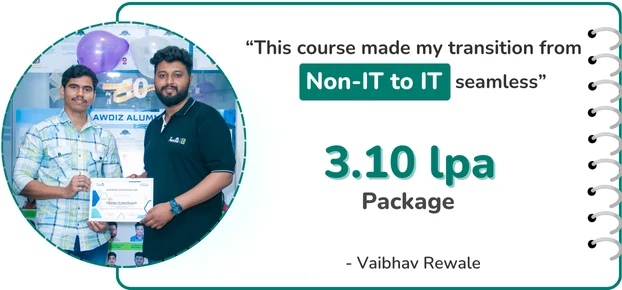
hardware networking course in goregaon network admin placement 3.10 lpa awdiz
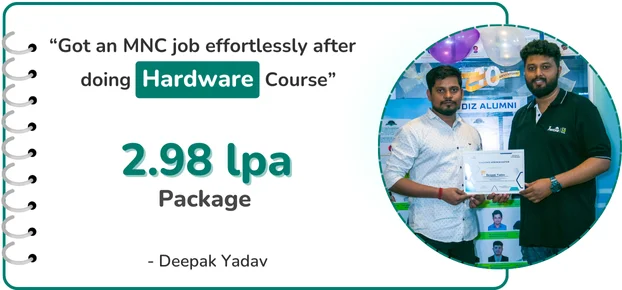
hardware networking course in goregaon desktop support placement 2.98 lpa awdiz

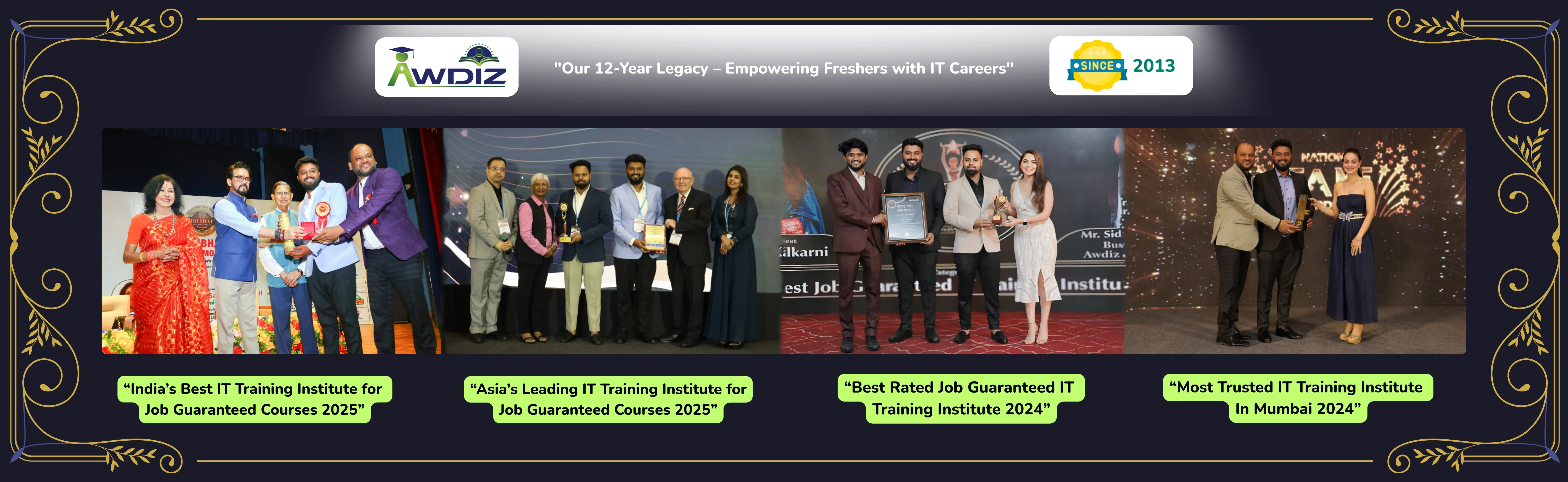
4x Award-Winning IT Training Institute (2024–2025) | The Trusted Choice for 2026

awdiz awarded as the Most Trusted IT Training Institute in Mumbai for 2024 & 2025 awdiz awarded the Most Trusted IT Training Institute in Mumbai 2024 & 2025

Searching for the best Hardware and Networking course in Goregaon ?

Packages up to 6 LPA in MNC companies

100% Job Guaranteed Hardware and Networking Course in Goregaon with placement for Freshers

Infinite Interviews Till you get Placed by Awdiz

The average Hardware and Networking Course fees is INR 59,000 to INR 79,000

The Hardware and Networking Course duration is 2 months

Students working with 100+ MNC's

5000+

Hardware and Networking Salary in India for Freshers

3.0 Lacs

Hardware and Networking Course Guaranteed Placements

98%

Best Non IT to IT Career Switch Course

95% Success

awdiz hardware and networking course placements 1

IBM 3.7 LPA

Network Admin

awdiz hardware and networking course placements 2

Capgemini 3.6 LPA

Infrastructure Support

awdiz hardware and networking course placements 3

Capgemini 4.5 LPA

L1 Support

awdiz hardware and networking course placements 4

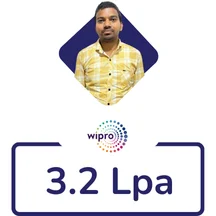
Wipro 3.0 LPA

IT Specialist

awdiz hardware and networking course placements 5

CMS 2.7 LPA

Technical Support

awdiz hardware and networking course placements 6

Siemens 3.2 LPA

Support Engineer

awdiz hardware and networking course placements 7

Dell 2.88 LPA

L1 Desktop Support

awdiz hardware and networking course placements 8

Impact Info 2.3 LPA

Desktop Support

awdiz hardware and networking course placements 9

Capgemini 4.5 LPA

L1 Support

awdiz hardware and networking course placements 10

Teleperformance 2.64 LPA

Technical Support

awdiz hardware and networking course placements 11

CMS 3.24 LPA

Support Engineer

awdiz hardware and networking course placements 12

Teleperformance 7.3 LPA

Support Engineer

awdiz hardware and networking course placements 13

Wipro 3.24 LPA

L2 Desktop Support

awdiz hardware and networking course placements 14

CMS 2.3 LPA

L1 Desktop Support

awdiz hardware and networking course placements 15

Quess 2.4 LPA

Desktop Support

awdiz hardware and networking course placements 16

Impact Inoftech 2.7 LPA

System Analyst

awdiz hardware and networking course placements 17

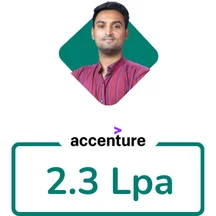
Accenture 2.30 LPA

Network Support

awdiz hardware and networking course placements 18

Accenture 3.7 LPA

Network Engineer

awdiz hardware and networking course placements 19

Accenture 4.0 LPA

System Engineer

awdiz hardware and networking course placements 20

CMS 2.88 LPA

Network Engineer

awdiz hardware and networking course placements 21

Orient 3 LPA

Network Engineer

awdiz hardware and networking course placements 22

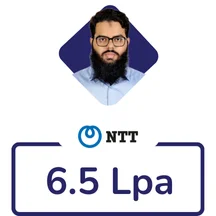
NTT 5.5 LPA

Netork Engineer

awdiz hardware and networking course placements 23

IBM 3.7 LPA

Network Admin

awdiz hardware and networking course placements 24

Capgemini 3.6 LPA

Infrastructure Support

awdiz success

Ready to Become a Hardware and Networking Engineer?

This is your chance to master the skills & tools to easily master your career as a Hardware and Networking Engineer

Since 2013, Awdiz has remained committed to building job-ready IT talent through a 100% Job Guarantee Hardware and Networking Course and has placed 8000+ IT professionals across top organizations. As a reputed Hardware and Networking training provider in India, Awdiz offers practical placement focused Hardware and Networking Training in Goregaon that supports learners with technical skills and placement preparation.

The Hardware and Networking Course in Goregaon is designed with a placement-focused approach so learners can pursue openings in top MNCs immediately after completing the Diploma in Computer Hardware and Networking program. Through the Best Hardware Networking Course Online, Awdiz offers training from a dependable Hardware and Networking Institute in Goregaon, where the industry-ready diploma in hardware & networking Course in Goregaon prepares candidates for technical support and network administration pathways.

Awdiz offers the Hardware Networking Course with Placement in Goregaon for freshers who want to gain employment-focused knowledge in computer hardware, networking, troubleshooting, and technical support. This detailed certification and diploma in computer hardware & networking program in Goregaon uses hands-on labs, real-time deployments, practical network tasks, and mentor-led guidance to make learners ready for Hardware and Networking Engineer responsibilities at the L1 and L2 support levels.

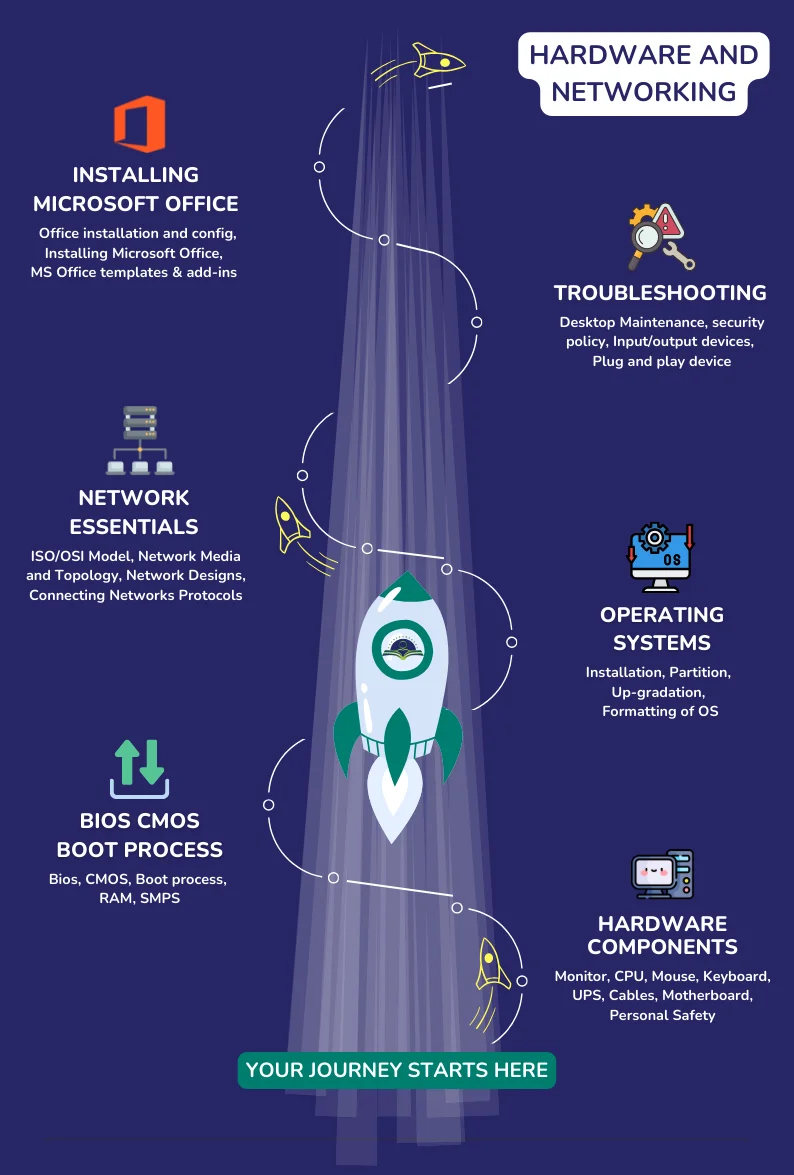
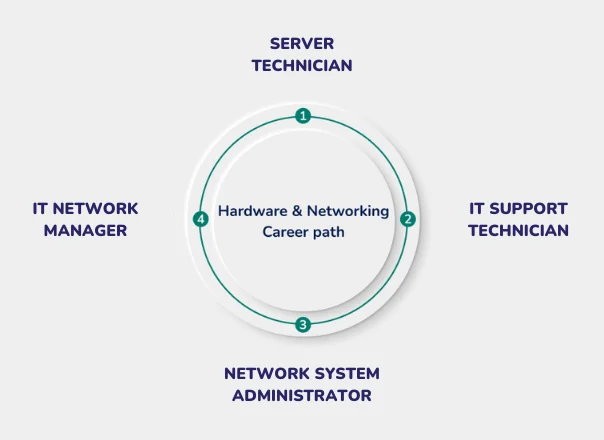
Hardware Networking Course Training Path

Hardware and Networking Course Training Path

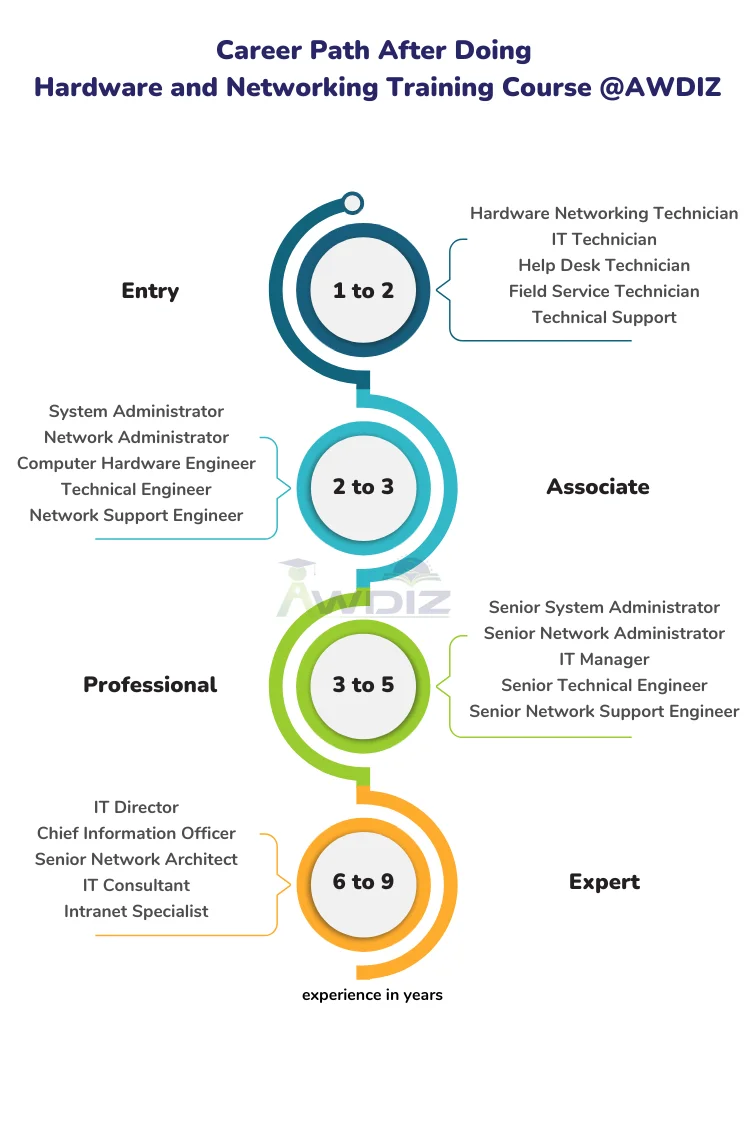
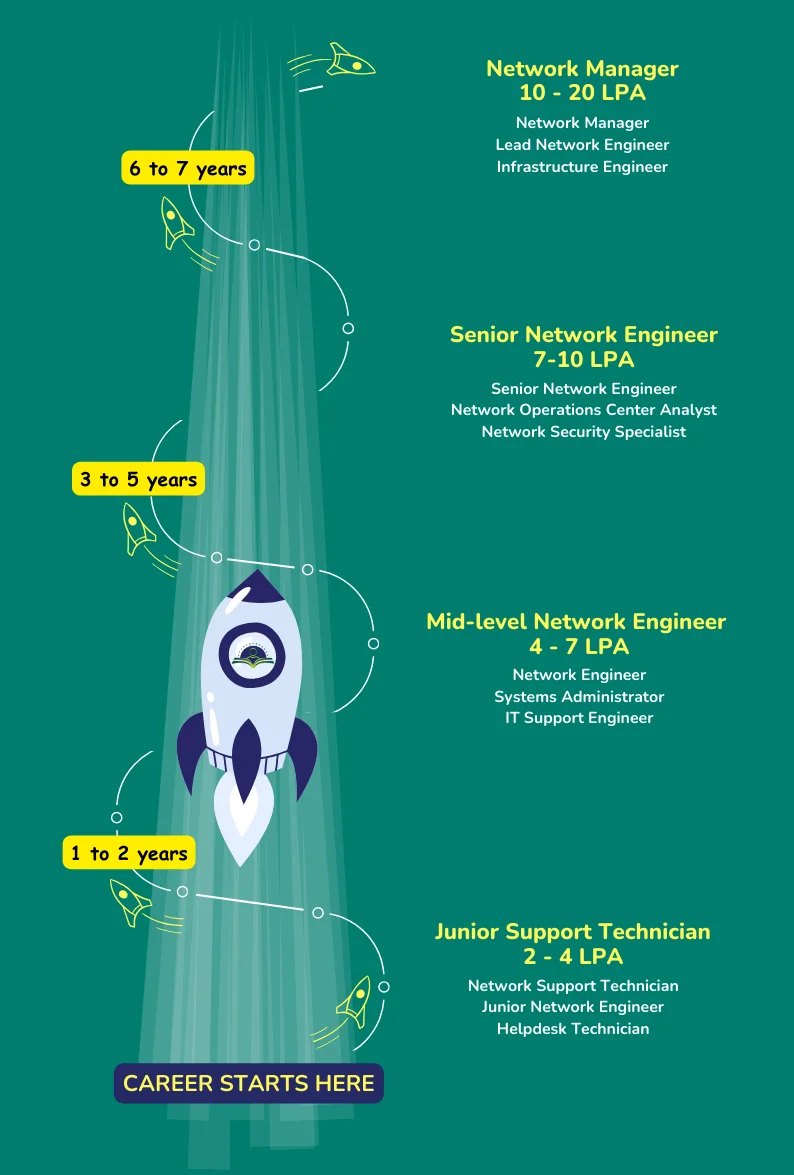
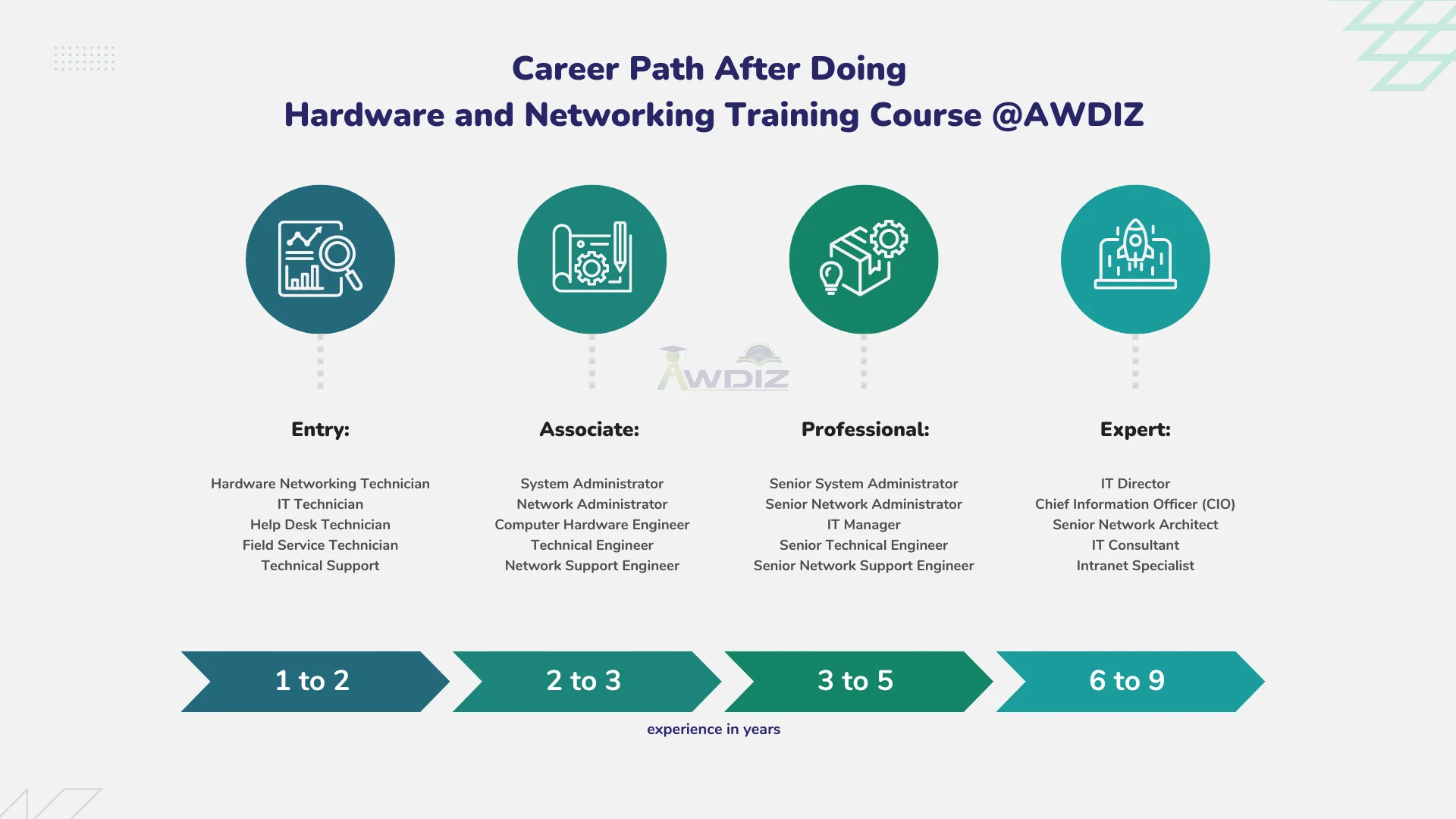
Hardware Networking Course Career Path

Hardware and Networking Course Career Path
Hardware and Networking Course Syllabus
1.0 Windows & Computer Fundamentals

Topic 1: Computer Fundamentals & Basics of Power System in a Computer. Computer Fundamentals History and Generations of Computer (Gen 1 to 5). Architecture of the Computer. Description of Different parts of a computer. Idea about System Software and Application Software. Operating system concept (Basic knowledge).

Practicals: Identification of different Components of a computer and demonstration and uses of them. Different Tools / equipment used for assembling/ disassembling a PC.

Topic 2: Introduction to SMPS SMPS Features, Functions. Types of SMPS Power distribution in SMPS Connecting, Maintenance and Troubleshooting

Practicals: A running SMPS demonstration Installation of a SMPS on a cabinet Isolated Power testing by sorting.
2.0 Functions of an Operating System

Topic 1: Introduction to Operating System. Definition and types of Operating Systems. Functions & Features of OS. MS-DOS (Prelims), Windows8.1, 10, 11, Red Hat 7 / Fedora Linux Server, Ubuntu, MAC OS etc. Process of Booting the Operating System. Installation of Windows8.1, 10, 11 Activation and Automatic Updating procedures.

Practicals: Demonstration on Windows Using: Safe Mode, Safe Mode Boot options, Last Known Good Configuration, etc. Demonstrating Windows Diagnostic Tools, System Restore, Creating Restore point, restore using Restore point, etc. Windows Recovery using System Factory Defaults/Recovery tools. Installation of driver routines for the system.

3.0 Computer Management & Disk Partitioning

Topic 2: Computer Management. Computer Management, Disk Management, Defragmentation. Services and Applications, Local Users and Groups. Advanced System Settings, Device Manager, Task Manager.

Practicals: Demonstration on Windows Using: Safe Mode, Safe Mode Boot options, Last Known Good Configuration, etc. Demonstrating Windows Diagnostic Tools, System Restore, Creating Restore point, restore using Restore point, etc. Windows Recovery using System Factory Defaults/Recovery tools Installation of driver for the system.

Topic 3: Disk Partitioning Demonstration of Partitioning of Hard Drive/ SSD - Primary, Extended, and Logical partitions using Partition Tools in Windows through Disk Manager.

Practicals: Demonstration of Partitioning of Hard Drive/ SSD - Primary, Extended, and Logical partitions using Partition Command (mkpart) in Linux.

4.0 Central Processing Unit & Main board

Topic 1: Details about Central Processing Unit & Main board Definition of CPU, Architecture, Speed, Types of CPU (ATX and AT technologies) 32/64 Bit. Types process or technologies like Clock speed, Bus speed, Cache memory. Threading technologies, Core technologies, IRQ & DMA Technologies. What is ” I” Technology, Core series (i3, i5, i7). To explain about PGA and BGA and LGA Model processors, Pins/Sockets. Definition, Architecture, Compatibility with CPU's, Chipsets and Brands. What is Chipset, what is FSB, what is Bus, CPU Sockets, Interface Ports used to connect different Peripherals. I/O Ports (PS/2, Serial, Parallel, USB, VGA, HDMI, Audio, Ethernet, etc.) Identifying Expansion Slots (PCI, AGP etc.), Power Form Factor.

Practicals: Demonstration of different generation CPU (Intel /AMD), showing clock speed, Bus speed & other features. Hand on practice to install CPU on the slot provided on the compatible main board. Hand on practice to install CPU on the slot provided on the compatible main board. Installation of external cards viz. graphics, sound, Ethernet etc. on the main board.

5.0 Primary and Secondary Memory

Topic 2: Primary and Secondary Memory Introduction to RAM, ROM, Cache Memory, Buffer Memory, Virtual Memory. Speed, Timeline (EDO, NON-EDO, SD, RD, DDR, DDR2, DDR3, DDR4), Hybrid Memory. Comparing and Installing RAM, Memory Module Form Factor, etc. Introduction to HDD& SSD, Types, Functioning of HDD, Functioning of SSD, Dual Usage. Interface Types of HDD & SSD (IDE or PATA, SATA, SCSI, PCI -E, MSATA, M.2), Data storage technique. Tracks, Sectors, Cylinders, Cluster MBR, FAT Area, DIR Area, Zero Track IDE Jumper settings (Primary/Secondary), (Master/Slave/Cable Select). Installing and Configuring a New HDD / SSD.

Practicals: Demonstrating Windows Diagnostic Tools, System Restore, Creating Restore point, restore using Restore point, etc. Windows Recovery using System Factory Defaults/Recovery tools Installation of driver for the system.

6.0 Computer Accessories

Topic 1: Keyboard & Mouse Types of Keyboards Keyboard Interfaces (DIN Type, PS/2, USB, wireless). Keyboard Problems and Troubleshooting. Types of Mouse (Ball Mouse, Optical Mouse, Trackball). Principles of Mouse (Ball Mouse & DSP, Sensor in Optical Mouse). Mouse Interfaces (Serial, PS/2, USB, wireless), Mouse Problems and Troubleshooting

Topic 2: Monitor Types of Monitors (CRT/LCD/LED), Working Principles of each type Demonstration and Practical on Monitor Installation, Menu Configuration, Adjusting Monitor Settings, Monitor Power Supply types, Possible Problems and Troubleshooting.

Topic 3: Printer Types of Printers (Dot Matrix, Inkjet, Laser, Thermal, All-in-One Printers, etc.). Working Principles of each type, network Printer. Installing a Printer and Configuring Drivers. Installation of Scanner, Device Driver Installation. Scanner Settings, Scanning Documents, Photos in different Formats like JPG, PDF etc.

Topic 4: Optical Drive Types of Media- (CD/DVD/ Blu-ray), Layers of CD and DVD, Difference between CD and DVD. Storage Technology - Reading, Writing & Re Writing data, Drive Interfaces -(IDE/SATA). Creating, Managing and Burning ISO Images using tools like: Magic ISO, Power ISO etc.

Practicals: Installing a Printer and Configuring Drivers. Installation of Scanner, Device Driver Installation. Scanner Settings, Scanning Documents, Photos in different Formats like JPG, PDF etc. Mouse, keyboard, Monitor, Printer Problems and Troubleshooting Monitor

7.0 Virus & Malwares

Topic 1: Types of networks such as (PAN, LAN, MAN, CAN, WAN). Basic concept of Transmission Types: Simplex, Half duplex and full duplex Mode. Basic concept of Internet, Intranet, extranet.

Practicals: Hands on practice with different types of Securities might be imposed for a safe system. Internet protocols and security breach. Antivirus software, types, installation, Mechanisms.

8.0 Data Communications & Networking

Topic 1: Identify various network media needed to make successful LAN and WAN connections and their distinct roles. Understanding the basic concepts of Client, Server, Workstation, Hubs and their applications. Understanding different types of Network architectures: Peer-to-Peer, Client-Server and Distributed. Basic concept of Transmission Types: Simplex, Half duplex and full duplex Mode.

Practicals: Demonstration of different types of Network Implementation through Slides / Pictures. Demonstration of Client, Server, Workstation, Hubs and their applications through Slides / Pictures. Hand on Practice to identify Peer-to-Peer, Client-Server and Distributed network system. Transmission media types Identification.

9.0 Network Topologies & Networking Devices

Topic 1: Knowledge of Network Topologies, Networking Devices, Transmission Media, sharing of resources, Network Addressing system. Identify different topologies used in networking with their relative advantages and disadvantages. Understanding the knowledge about various types of networking devices and media with their usage. IP addressing, MAC addressing, Install and configure a network and configure IP address static and dynamic, DNS, default gateway. Design, calculate, and apply subnet masks and addresses to fulfil any organization's requirements. Working with installation of Network card, altering MAC address and revealing original MAC, Knowledge of making crossover and straight cable. Introduction to Linux Networking. Configuring IP Address on Linux Systems. Working Principles of each type of Networking protocols such as (DHCP, DNS, FTP, SSH, Telnet).

Practicals: Crimping RJ45 Connectors, CAT V/ VI wired Color Matching for Type A and Type B Connection. Hand on practice for communication to windows networking. Data Sharing, Printer Sharing. Remote Desktop Connection using Windows RDC. Creating Shared Folders for each user, Assigning Access Rights and Changing Ownership for Shared Folders using File Server Wizard Internet Configuration using ADSL Router. Hands on practice to configure Router Admin password. Create and configure SSID for secured Wireless connection through a router.

10. Internet Network Configuration

Topic 1: Introduction to Internet, Uses of Internet, Working on Internet using various browsers like Edge, Chrome, Firefox, Opera, etc. Explaining URL, HTTP, HTTPS, etc. Clearing Browser Cache. Creating Mail ID's, Send/Receive Mails, Mail Client Configuration using Outlook/Thunder bird Internet Configuration using ADSL Router. Introduction to Network Devices: ADSL Router, Wi-Fi Router, Wireless Access Point. Firewall Concepts

Practicals:

  • Hand on practices on internet, mail and browser properties, security settings.
  • Configuring mailbox with Outlook.
  • Hands on practice to configure Router Admin password.
  • Create and configure SSID for secured Wireless connection through a router.
Start your career in Hardware and Networking

Online and Classroom Training Available - 2 Months

Benefits of Hardware and Networking Training in Goregaon ?

Students joining Awdiz, the best Institute for Hardware and Networking in Goregaon, receive industry-focused guidance in hardware and networking concepts taught with practical exposure since 2013. The training covers PC installation, hardware components, networking setup, system maintenance, software troubleshooting, and technical support skills for IT jobs.

Candidates who build strong technical capabilities and earn trusted qualifications can move ahead in the competitive IT industry. Awdiz’s ACHNP Hardware and Networking Certification trains learners in computer hardware, networking, troubleshooting, system maintenance, and IT support with a practical approach. The Hardware and Networking Course in Goregaon provides certificate-level and diploma-style preparation to help students become job-ready for long-term careers.

hardware and networking course
Who should Attend Hardware and Networking training in Goregaon?

The Hardware and Networking course in Goregaon supports IT aspirants from 12th Standard or HSC graduates to BCA, BE, BScIT, BCOM, and Diploma holders with practical training required for modern technical support careers. Students learn computer hardware handling, networking concepts, device configuration, issue diagnosis, and support operations that create a pathway toward Cisco Certified Network Engineer roles. For freshers, System Administrators, Network Administrators, and professionals planning skill development, the Hardware and Networking Certification Course in Goregaon can be highly useful for career growth.

Hardware and Networking course duration is 2 Months
Best Courses for Hardware and Networking Training

Awdiz delivers practical Hardware and Networking training in Goregaon through expert faculty who guide learners with real-world examples, lab-based exercises, and career-focused technical preparation. Students gain knowledge of computer hardware, networking concepts, system support, and troubleshooting, while the guaranteed placement program is designed to help them enter the IT industry quickly after course completion.

Career after Hardware and Networking Training Course in Goregaon

Students who complete the Hardware and Networking Course in Goregaon are equipped with practical skills that make Cisco Hardware and Networking Certification easier to pursue. The program provides hands-on exposure to router configuration, switch setup, wireless LAN controller operations, network device administration, and security threat awareness. Awdiz’s Hardware and Networking Certification Course in Goregaon supports learners preparing for associate-level IT roles with additional training in cloud, wireless, security, and infrastructure technologies relevant to India’s expanding IT sector.

Hardware and Networking career path
Hardware and Networking career paths
Hardware Networking Certifications Path 2026

Coming Soon

Your Career Deserves The Best
Our Recent Placement Stories
awdiz placements hardware and networking course 1

Desktop Support

awdiz placements hardware and networking course 2

Desktop Support

awdiz placements hardware and networking course 3

Cyber Security Analyst

awdiz placements hardware and networking course 4

Network Support

awdiz placements hardware and networking course 5

Network Engineer

awdiz placements hardware and networking course 6

Network Engineer

awdiz placements hardware and networking course 7

Infrastructure Support

awdiz placements hardware and networking course 8

Network Engineer

awdiz placements hardware and networking course 9

Network Engineer L1

awdiz placements hardware and networking course 10

Network Engineer L2

awdiz placements hardware and networking course 11

Remote Support

awdiz placements hardware and networking course 12

Network Engineer L1

awdiz placements hardware and networking course 13

Technical Support

awdiz placements hardware and networking course 14

Network Admin

awdiz placements hardware and networking course 15

System Administrator

awdiz placements hardware and networking course 16

Network Engineer L2

awdiz placements hardware and networking course 17

Technical Support

awdiz placements hardware and networking course 18

System Administrator

What are the Career Opportunities after completing Hardware Networking Course ?
Hardware And Networking Technician

Hardware And Networking Technician

System Administrator

System Administrator

Network Administrator

Network Administrator

Computer Hardware Engineer

Computer Hardware Engineer

Technical Engineer

Technical Engineer

Network Support Engineer

Network Support Engineer

Technical Support

Technical Support

Help Desk Technician

Help Desk Technician

Field Service Technician

Field Service Technician

Hardware and Networking course in FAQs

01

Why is enrolling in the Hardware and Networking Course at Awdiz in Goregaon a good idea?


02

Does Awdiz provide the Hardware and Networking training course near my area in Goregaon?


03

What are the steps to achieve a Hardware and Networking certification through Awdiz in Goregaon?


04

What if I am unable to attend Hardware and Networking classes in Goregaon?


05

What is the pricing for the Hardware and Networking Certification in Goregaon?


06

What are the career opportunities in the field of Hardware and Networking in Goregaon ?


07

How does Awdiz issue certificates for its courses in Goregaon?


08

What is the Hardware and Networking salary and what will my salary be after completing the Hardware and Networking course from Awdiz?


09

Having completed a Hardware and Networking Course from a different centre without landing a job, will Awdiz provide job opportunities in Goregaon?


Future scope of jobs after completing the Hardware and Networking Course

Learners who complete the Hardware and Networking (Cisco Certified Network Associate) course can explore wide-ranging opportunities in IT support, network administration, hardware troubleshooting, and infrastructure management. With companies increasing their reliance on secure and efficient networks, Networking Engineering roles are becoming a preferred career direction for many IT professionals.Read More

Building your Career Block by Block
Name *
Email *
Phone Number *
Course for Training and Placement *
Message *
Hardware and Networking Course near me ?

Awdiz offers Hardware and Networking Course in Goregaon & in various locations